Building the Network Closet
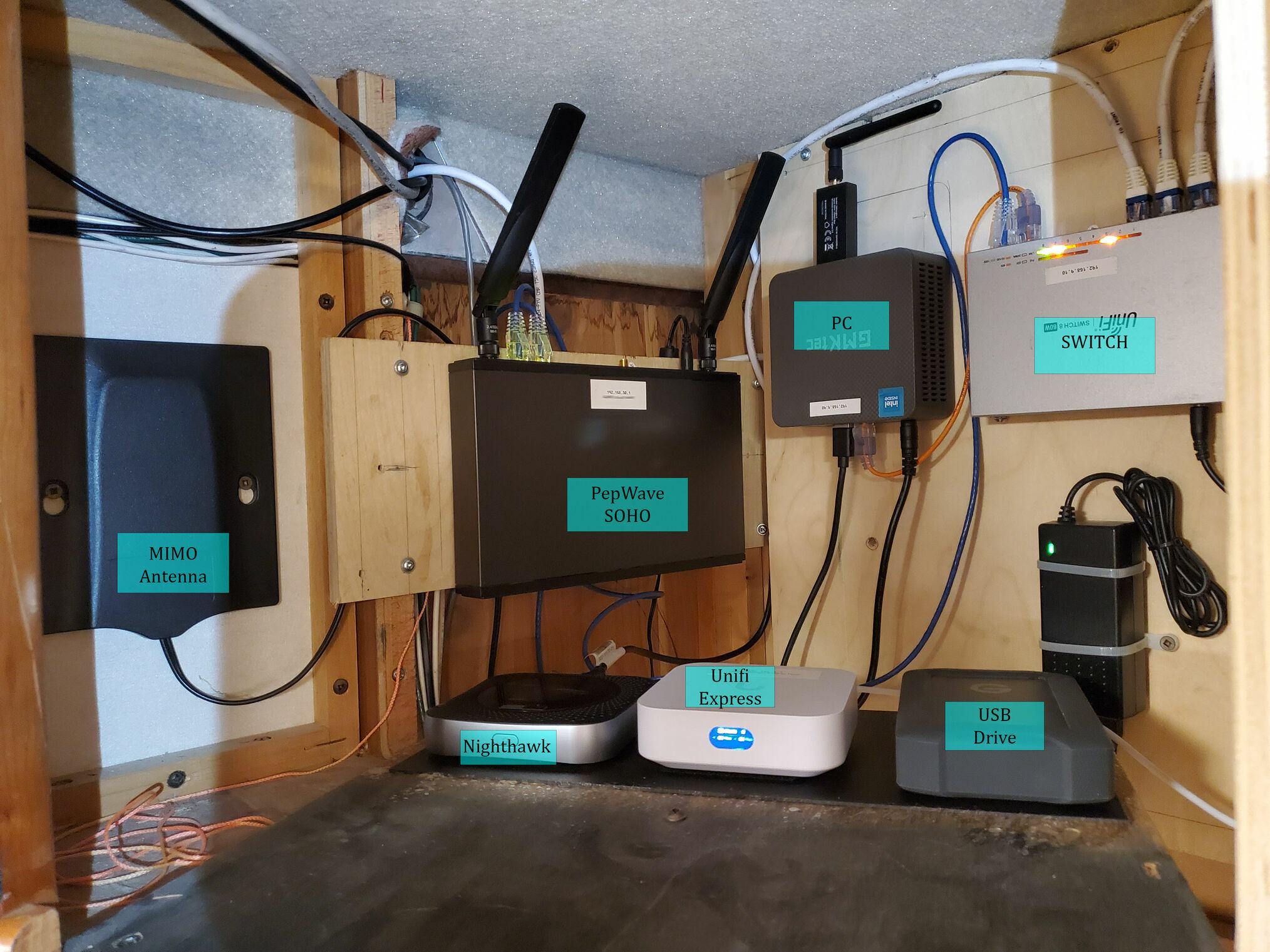
In the bedroom where the original tube TV once lived, there’s now a flat panel display. Behind it lies a surprisingly large area perfect for housing equipment. It also has 110V outlets, making it the ideal location to mount all our network components while keeping the wiring as clean as possible.
Internet Gateway and Failover
The Pepwave SOHO Router serves as our internet gateway, accepting connections from a variety of sources: campground Wi-Fi, a cellular hotspot via our Nighthawk modem, a USB-tethered phone, or an Ethernet feed from Starlink.
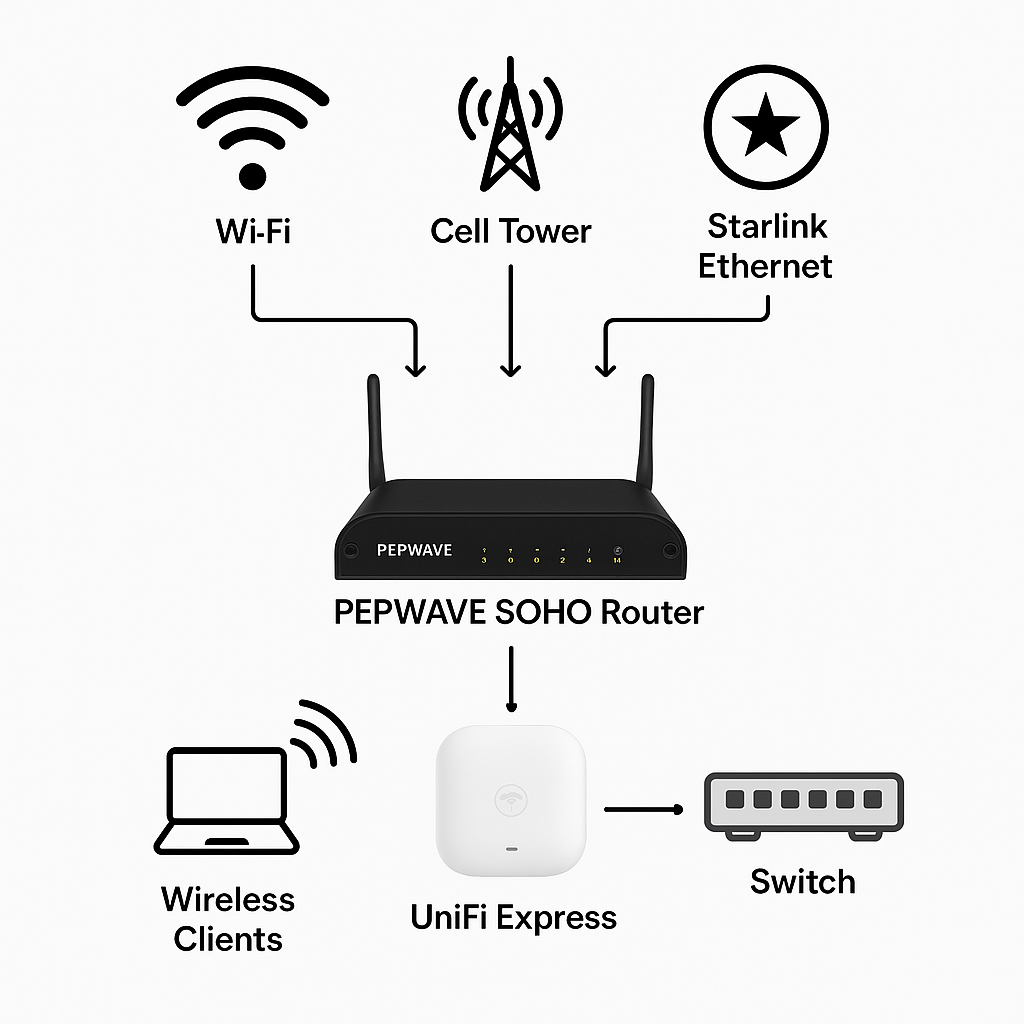
Pepwave supports multi-WAN management including Ethernet WAN, Wi-Fi as WAN, and USB WAN. You define which connection type has priority, and it automatically fails over to the next available source if one drops out. This keeps us connected whether we’re parked in a campground, off-grid, or using Starlink or moving down the road.
Network Architecture
That internet feed passes to the UniFi Express, which acts as the main gateway, firewall, and Wi-Fi access point for all our devices. The UniFi Express connects to the Pepwave via its WAN port and handles the RV’s internal network, both wired through a switch and wireless through its built-in access point.
All clients, laptops, TVs, tablets, phones, and AV gear, connect to the UniFi Express. From their perspective, the network never changes, even if the Pepwave switches from Wi-Fi to cellular to Starlink in the background. This concept isn’t new; it’s similar to how older Wi-Fi Ranger setups worked. You connect to the coach’s internal access point, and that system sources internet from the best available link behind the scenes.
The result is a consistent local network with internet redundancy working behind the scenes. To prevent double NAT, at least inside the coach, the UniFi uses a static IP and the Pepwave is configured to pass through its WAN connection to the Express using DMZ/NAT mapping. One note: this particular Pepwave router doesn’t have a fast processor, so its maximum throughput is 120 Mbps.
Additional Components
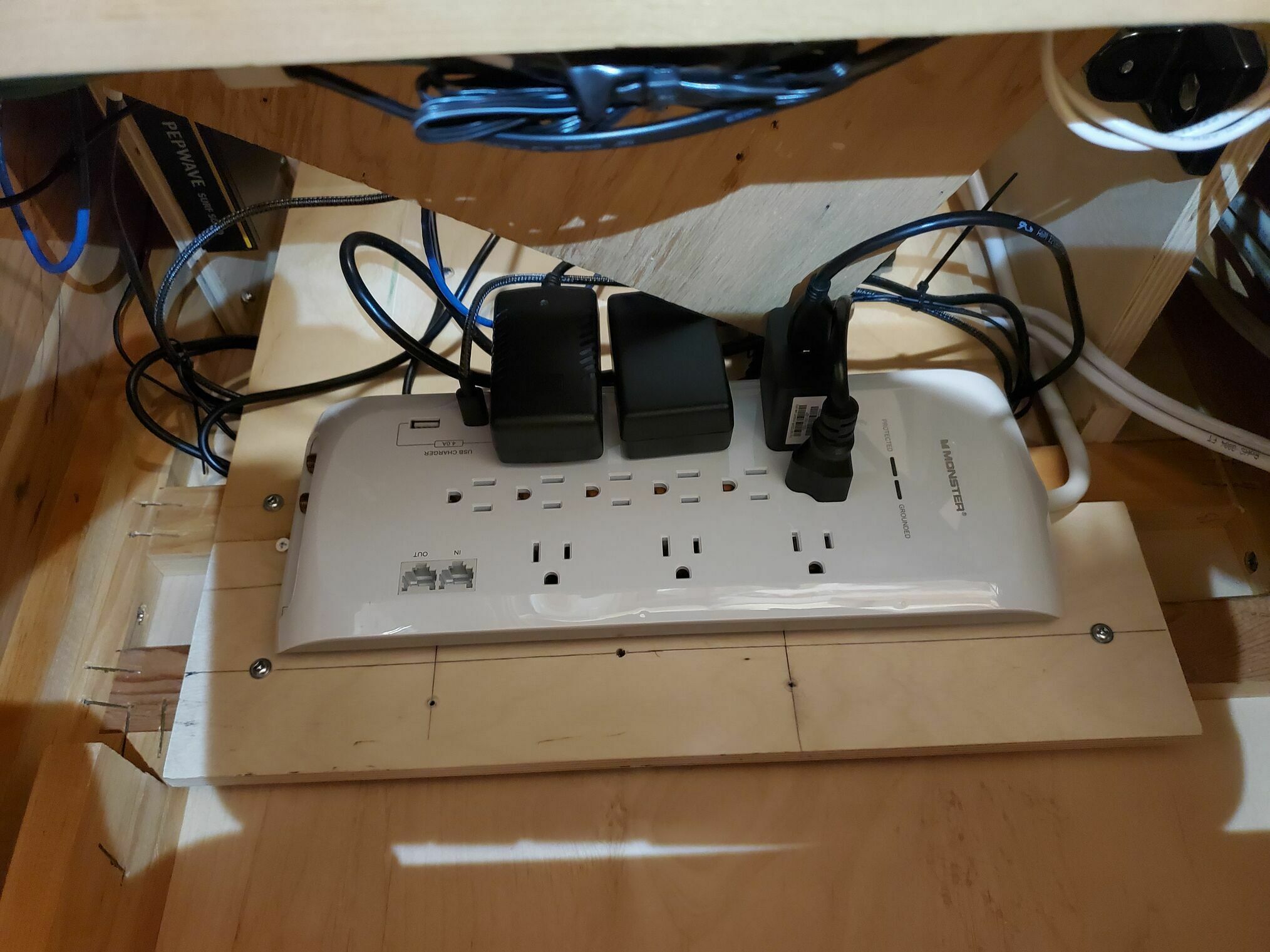
Several other pieces of equipment complete the network closet:
GMKtec NUC N100 PC running Ubuntu as the operating system with various Docker containers:
- Jellyfin for media delivery
- Home Assistant for smart home control
- Pi-hole for network-wide ad blocking via DNS
- Node-RED to interface with the Victron, SeeLevel systems, and anything else we might want to monitor.
- Mosquitto MQTT server to publish data back to Home Assistant
Netgear Nighthawk cellular modem for AT&T internet access with a MIMO antenna. It’s not in the best location for signal, but the antenna provides some gain.
USB drive to store all our media files for the Jellyfin server. We use a SanDisk Rugged 5TB drive.
Power strip for all the wall adapters, which also provides USB charging ports.
Clean and Organized
The key to this installation was keeping everything organized and accessible. Cable management matters even more in an RV where vibration and movement are constant. Every connection is secured, every cable is routed cleanly, and everything is labeled for future reference.
This network closet forms the backbone of our smart RV system. With reliable, redundant internet and a computing platform running our automation stack.